
Insert PDF Signature -This is How it Works on a PC or Mac!
Insert PDF signature to any file, even if it’s in a different format. This tutorial is suitable for PC and Mac users. In this article, we will show you how to add a signature to a PDF quickly and easily using free tools.
If you know how to add a signature to a PDF, you can digitally sign contracts or other documents quickly and easily. This not only saves time, but also a lot of paper and printer ink. When you are using ERP software you may also need pdf signature to create , this tool and methods will help you to sort out .With these simple step-by-step instructions, you can add signatures to your PDFs in no time at all, digitizing your everyday life a little more.
Insert PDF Signature on Windows
You can easily sign your PDF documents with the PC mouse or by Touching Them with a pen. Follow these steps to add a signature to the PDF:
- First, you need to download the programme “PDF-XChange Viewer.” This is available free of charge.
- Then use this software to open the desired PDF file.
- Then click Tools, then choose Annotations > Pen > Show Annotation Styles Palette.
- You can now set the line thickness and pen opacity.
- Draw your signature in the document using the computer mouse or a touchpad.A pen (often called a stylus) works particularly well with a touchscreen.
- You can now save your document as a signed PDF file with File > Save As.
Insert PDF signature on a Mac
If you have a Mac and would also like to add a signature to the PDF, this can also be done quickly and easily. You only need a special programme for this:
- Download the PDF Expert programme. The tool is free.
- Right-click where you want to sign.
- Then select “Signature” from the menu.
- Click on “My Signature” to select an existing signature.
- You can also click Customer Signature to create a new signature using the keyboard, trackpad, or an image.
- Drag and drop to change the position of the signature. The PDF Expert saves various signatures so that you can use them later.
You can add a signature to a PDF on a Mac (or MacBook) in three different ways:
- keyboard : Enter the name using the keyboard.PDF Expert then converts the name into a signature.
- Trackpad: Use the trackpad on your MacBook (or an external Mac trackpad) to draw a signature.
- Image: Use an existing graphic for your signature.
By the way, if you want to edit a PDF on the iPad and, e.g., sign a contract, then we have the right instructions for you.
Insert PDF signature with Acrobat Reader for Windows and Mac
If you want to add a signature to a PDF, you can also use Adobe Acrobat Reader. The programme is available in both Windows and Mac versions.Above all, signatures can be easily inserted with this tool.
- Open your document in the Adobe Acrobat Reader programme.
- In the top menu bar, click on the “Tools” tab, and then on “Fill and sign.”
- You now have several options available. Select “Sign
- Here, you can either fill in your signature or click on “Add initials.” You use the latter if you have not yet created a signature.
- Then switch to the “Draw” window and sign.
- Then click “Apply.” Move the pointer to the place in the document where you want to add the signature in the PDF.
- You can resize the signature by dragging the circles in the corners of the signature box.
Online with the PDF24 Creator
You can install the “PDF24 Creator” tool as a programme on your Windows PC. As a Mac user, you can choose the online version.
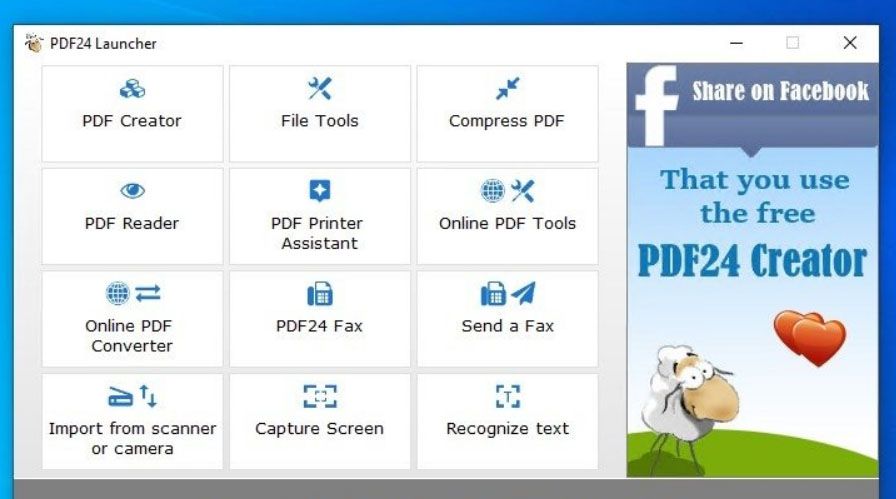
If you want to add your signature to the PDF with this program, it’s very easy to insert PDF signature:
- Open the PDF24 Creator to sign the document. Use this link: https://tools.pdf24.org/de/pdf-unterzettel.
- Click on “Choose file” or drag and drop the document into the field.
- Then click on the pencil in the toolbar.
- Now you can draw, upload, or photograph your signature.
- When you’re done, press the little green tick. Then click the signature again to paste it into the document.
- You can now use the mouse to adjust the position and size of the signature. When you’re done, click the “Create PDF” button.
- You can preview the document, delete it, or start over with “Restart.” When you are satisfied, click “Download,” and the document will be saved in the Downloads folder.
Our conclusion
You can add a signature to the PDF without much effort. You can use free programmes or a free online tool to do this. Drawing the signature works very well with a pen like the stylus, but you can also simply sign with a mouse. The trackpad is also very suitable for the Mac or MacBook.
This is the best guide to how to insert a PDF signature in your documents. It covers how to insert a signature, how to protect it, and how to remove it. Insert PDF signature into your electronic signature. This is a great way to show people your signature and to keep it clear and easy to read.
If you want to know more about this topic, then let us know in the comments.
Total Views: 18