
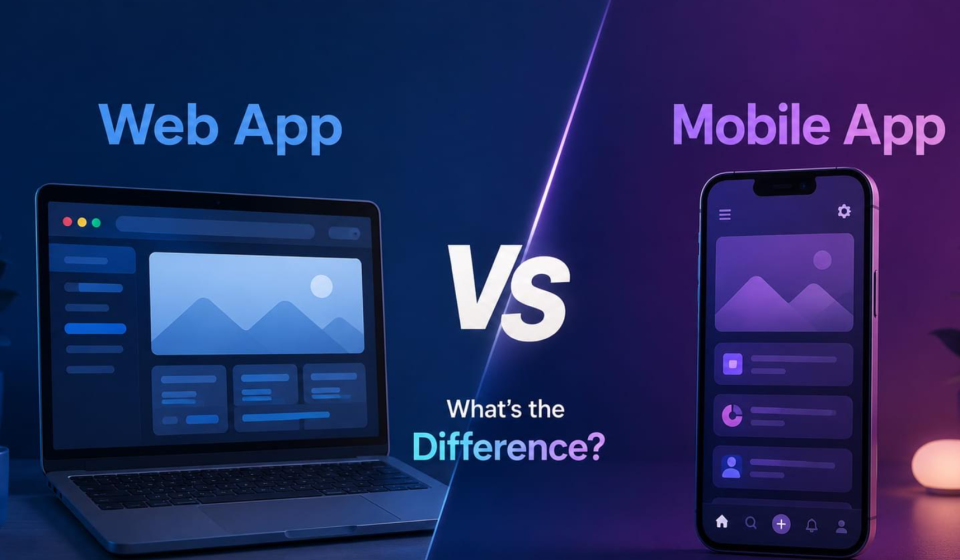
Web App vs Mobile App: What’s the Difference?
Websites and phone apps feel very similar today. You use both on your devices continuously. Yet, they work in completely different ways.
A web app runs directly inside your web browser. You do not download software to use it. For example, Google Docs lives entirely online. You just type a web address and begin.
A mobile app lives right on your phone. You must download it from an app store. Spotify and Instagram are classic mobile app examples. They load fast and store data locally.
Choosing the right option changes your development costs. It also impacts how users experience your product. This guide breaks down every key difference clearly.
What Is a Web App?
A web app is an interactive online application. You open it using a web browser. Google Chrome and Safari work great for this. You do not install files on your device.
Instead, you just visit a specific web address. The app loads instantly over the internet. Pages respond quickly to your clicks and inputs.
Examples include Trello, Gmail, and Canva. They save your work directly to the cloud. You can access them from any device easily.
Features Of Web App
Web apps offer several unique advantages for daily users. They run smoothly inside browsers without taking up space.
- Works on any phone, tablet, or computer.
- Loads instantly through a web address URL.
- Requires zero installation or file downloads.
- Updates automatically without taking your time.
- Uses minimal internal phone storage space.
- Syncs user data safely to the cloud.
- Uses a single codebase across all devices.
- Connects directly to external web services online.
What Is a Mobile App?
A mobile app is software for your smartphone. You download it from an app store. Apple App Store and Google Play host them.
These apps live directly on your phone. Because of this, they load very fast. Many mobile apps work without the internet, too.
Popular examples include WhatsApp and Instagram. They offer smooth animations and touch controls. They use your camera and GPS very easily.
Features Of Mobile App
Mobile apps provide powerful features for phone users. They interact directly with your phone system daily.
- Works offline without any active internet connection.
- Uses phone hardware like cameras and GPS.
- Sends instant push notifications to your screen.
- Loads screens very fast from internal memory.
- Uses native touch gestures and smooth swipes.
- Fits specific mobile screen sizes perfectly well.
- Stores user data safely inside local storage.
- Unlocks extra security using your fingerprint scan.
Key Differences Between Web Apps and Mobile Apps
Web apps and mobile apps look similar today. However, key technical differences set them apart completely. Let us compare their main characteristics below.
Installation
Web apps require zero installation process. You simply open your web browser. Then, you type a web URL link. The web application loads right away.
Mobile apps need full installation first. You must open an app store. Next, you search for the app. You download and install the files. This process takes extra phone storage space.
Performance
Mobile apps run faster than web apps. They store data right on your device. The code connects directly to phone hardware. This makes animations and transitions super smooth.
Web apps depend on your web browser. They must fetch data from web servers. Slow internet makes web apps run slower. High browser traffic can lag them, too.
Development Cost
Web apps cost much less to build. Developers write a single codebase for everyone. It works on iPhones, Androids, and computers. This saves massive amounts of time and money.
Mobile apps usually cost significantly more money. To built if, you first need a dedicated mobile app development agency. They are required to build separate versions for different platforms. One version runs on Apple iOS devices. Another distinct version runs on Google Android phones. Hiring two specialized teams increases your budget.
Internet Dependency
Web apps strictly need a stable internet connection. They fetch all data from remote servers online. If your internet dies, the web app stops. Pages will not load without active data.
Mobile apps can easily work offline. They save essential core files on your phone. You can play games or read saved notes. New data syncs once you reconnect online.
Updates
Web apps update automatically without your help. Developers push new code to web servers directly. You see updates instantly upon refreshing your page.
Mobile apps require manual or background updates. Developers submit new versions to app stores. You must download updates from store listings. Older versions might break if you delay.
Access to Device Features
Mobile apps access phone features very easily. They connect directly to your phone camera. They use your GPS location without trouble. They also access bluetooth and contacts seamlessly.
Web apps have limited device access rights. Browsers restrict access due to security rules. They can use cameras with your permission. However, advanced hardware features remain completely blocked.
Which One Should You Choose?
Choose a web app if you want low costs. It helps you reach all devices very quickly. You also avoid app store submission rules completely.
Choose a mobile app for better daily performance. It works great if you need offline access. It also lets you use phone hardware easily.
- Pick Web Apps For: Fast launches, lower budgets, simple content, universal access.
- Pick Mobile Apps For: Heavy graphics, push notifications, offline use, device features.
Conclusion
Both web and mobile apps offer unique benefits. Your choice depends entirely on your project goals. Think about your target budget very carefully first. Consider your target audience and their needs, too.
Web apps provide a broad reach with lower costs. They open instantly on any modern internet browser. You do not waste time on app stores. Updating your software happens seamlessly behind the scenes.
Mobile apps deliver superior speed and smooth performance. They unlock powerful phone hardware like cameras easily. Users can access core features without internet access. Push notifications keep your users engaged every day.
Weigh all these vital factors very carefully. Every business requirement demands a different strategy today. Pick the tool that fits your vision best.
Total Views: 163