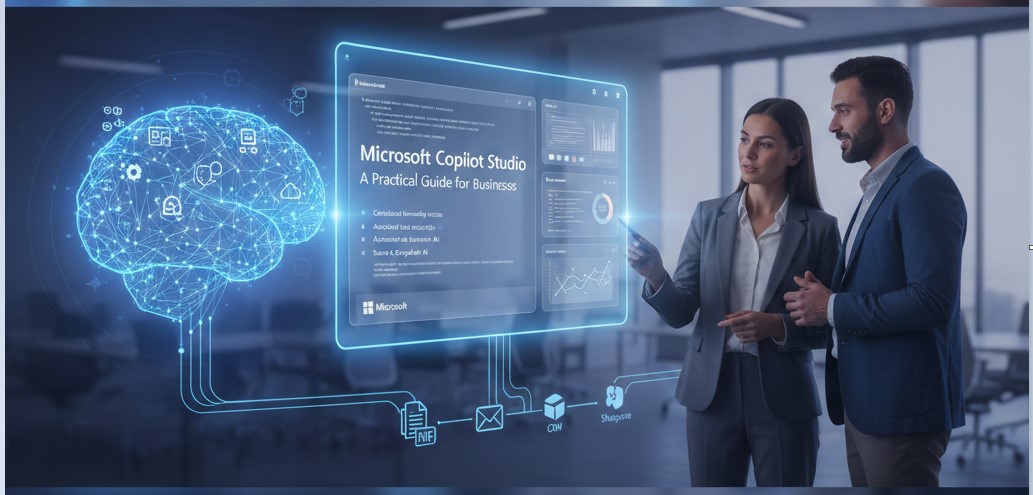
Building Intelligent AI Copilots with Microsoft Copilot Studio: A Practical Guide for Businesses
Every business today is flooded with questions.
Customers ask about orders, services, and support. Employees search for policies, reports, and updates. Teams lose time switching between tools just to find answers that already exist somewhere.
The problem is not lack of data. It is scattered knowledge.
Emails, PDFs, CRM systems, SharePoint sites, and ticketing tools all hold useful information, but none of them talk well together. As a result, people wait. Support teams repeat the same answers. Employees interrupt each other. Customers leave frustrated.
This is where Microsoft Copilot Studio steps in—not as another chatbot, but as a practical way to build intelligent AI copilots that understand business context.
At Codevision, we work with organizations that want AI to solve real problems, not create new ones. Microsoft Copilot Studio allows businesses to design AI assistants that connect to their data, follow their processes, and scale with confidence.
Why businesses struggle to use AI effectively today
Many organizations try AI through basic chatbots or standalone tools. They look impressive at first but soon fall short.
The most common challenges we see include:
- AI tools that do not understand internal business data
- Chatbots that give generic or incorrect answers
- High dependency on developers for small changes
- Security and compliance concerns
- Poor integration with Microsoft tools teams already uses
According to Microsoft’s Work Trend Index, employees spend nearly 60% of their time searching for information or coordinating work. That lost time directly impacts productivity and customer experience.
From our experience, the issue is not AI itself. The issue is how AI is connected to business systems.
What Microsoft Copilot Studio brings to the table
Microsoft Copilot Studio is a low-code platform that helps businesses build, customize, and manage AI copilots tailored to their workflows.
It works seamlessly within the Microsoft ecosystem, including Microsoft 365, Dynamics 365, Power Platform, and Azure services.
Instead of starting from scratch, teams can design copilots that:
- Answer questions using trusted business data
- Automate tasks across systems
- Follow company rules and permissions
- Improve over time through feedback
Benefit: AI that understands your business
Feature: Deep integration with Microsoft tools
Outcome: Faster responses and better decisions
Copilot Studio is not just about conversations. It is about action.
How Microsoft Copilot Studio solves real business problems
Centralized knowledge access
Businesses store information across SharePoint, OneDrive, Dataverse, CRM systems, and internal apps. Copilot Studio connects to these sources and presents clear answers in one place.
Benefit: Less searching
Outcome: Faster access to the right information
At Codevision, we have seen internal teams cut down repetitive questions simply by giving employees a copilot that knows where the answers live.
Automated task execution
Copilot Studio works with Power Automate, allowing AI copilots to trigger workflows.
Examples include:
- Creating support tickets
- Updating CRM records
- Sending approval requests
- Pulling reports instantly
Benefit: Reduced manual effort
Outcome: Smoother workflows and fewer delays
Secure and compliant AI by design
Security is a major concern with AI adoption. Copilot Studio follows Microsoft’s enterprise-grade security standards.
It respects:
- Role-based access
- Data boundaries
- Compliance policies
Benefit: AI without risk
Outcome: Confidence for IT and leadership teams
This is especially important for industries like healthcare, finance, and manufacturing.
Industry use cases where Copilot Studio shines
Customer support and service teams
AI copilots can answer customer questions, check order status, and guide users—without replacing human agents.
Result:
- Faster response times
- Reduced ticket volume
- Improved customer satisfaction
Sales and CRM operations
Sales teams use copilots to pull account details, meeting summaries, and pipeline updates directly from Dynamics 365.
Result:
- Less admin work
- More time selling
- Better deal visibility
HR and internal operations
Employees ask copilots about policies, leave balances, onboarding steps, or internal tools.
Result:
- Fewer HR queries
- Better employee experience
- Consistent answers across teams
At Codevision, we have delivered Power Platform and Dynamics-based solutions across industries, helping teams connect AI with real operational data instead of isolated systems.
A simple scenario: Copilot Studio in daily work
Imagine a mid-size organization.
An employee asks the copilot about project status.
The copilot checks Dataverse.
Pulls updates from Dynamics 365.
Summarizes progress in seconds.
No emails. No meetings. No guessing.
That is not future AI. That is Copilot Studio today.
Copilot Studio compared to traditional chatbots
| Area | Traditional Chatbots | Microsoft Copilot Studio |
| Data access | Limited | Connected to business systems |
| Customization | Developer-heavy | Low code |
| Security | Basic | Enterprise-grade |
| Automation | Minimal | Built-in with Power Automate |
| Scalability | Difficult | Cloud-ready |
Why businesses choose Codevision for Copilot Studio solutions
Technology alone does not deliver results. Strategy does.
At Codevision, we bring:
- Hands-on experience with Copilot Studio and Power Platform
- Deep understanding of Microsoft technologies
- Industry-focused solution design
- Proven delivery across enterprise environments
We focus on real use cases, not demos.
You can explore similar automation and enterprise solutions on thecodevision.com, where we share how Microsoft technologies drive measurable outcomes.
The real impact of AI copilots on workflows
Organizations using intelligent copilots often see:
- Faster decision-making
- Reduced operational load
- Improved employee productivity
- Better customer engagement
This is not about replacing people.
It is about removing friction.
Final thoughts and key takeaway
AI works best when it fits naturally into daily work.
Microsoft Copilot Studio gives businesses a practical way to build intelligent copilots that understand data, respect security, and improve over time.
When combined with the right strategy and implementation partner, it becomes more than a tool—it becomes a competitive advantage.
If your organization is exploring AI assistants that deliver real value, Codevision is ready to help you design, build, and scale with confidence.
Ready to build intelligent AI copilots for your business?
Explore our Microsoft Copilot Studio and Power Platform services at thecodevision.com and take the next step toward smarter, connected operations.
Frequently Asked Questions (FAQ)
What is Microsoft Copilot Studio used for?
Microsoft Copilot Studio is used to build custom AI copilots that connect to business data, automate workflows, and provide accurate, secure answers.
Is Copilot Studio suitable for enterprises?
Yes. It is designed for enterprise use with strong security, compliance, and scalability features.
Can Copilot Studio integrate with Dynamics 365 and Power Platform?
Absolutely. It works natively with Dynamics 365, Power Apps, Power Automate, Dataverse, and Microsoft 365.
Does Copilot Studio require heavy coding?
No. It is a low-code platform, making it accessible for both technical and business teams.
Why work with Codevision for Copilot Studio implementation?
Codevision combines Microsoft expertise, industry experience, and a practical approach to deliver AI solutions that solve real business problems.